Shotstand, Slide by Slide
Shotstand's own App Store screenshots were made in Shotstand, from screens of the app itself. So the clearest way to show what it does is to walk through those nine slides, one at a time, and say what's behind each one.
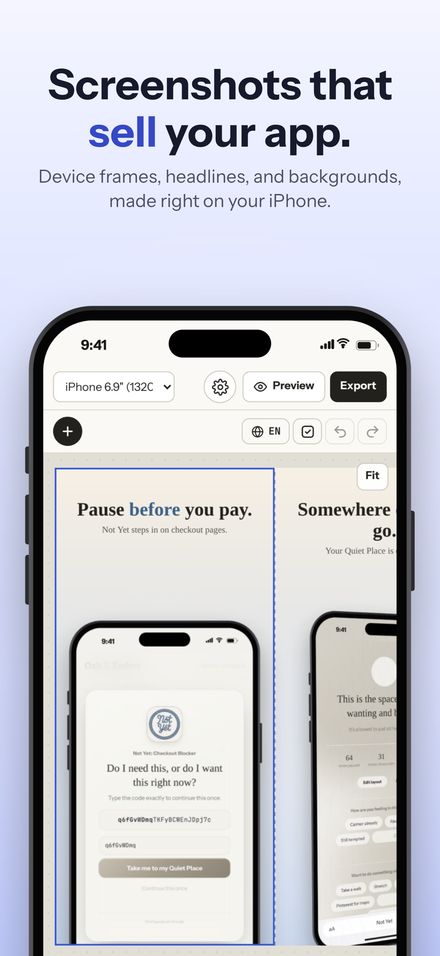
Screenshots that sell your app Free
The App Store shows your first three screenshots in search results, before anyone opens your page. Shotstand's job is to make those count: your real screenshots in a device frame, a short headline that says what the app does, and a background that ties the set together. It opens with an example set, so the first thing you see is a finished one you can pull apart.
Drag, pinch, done Free
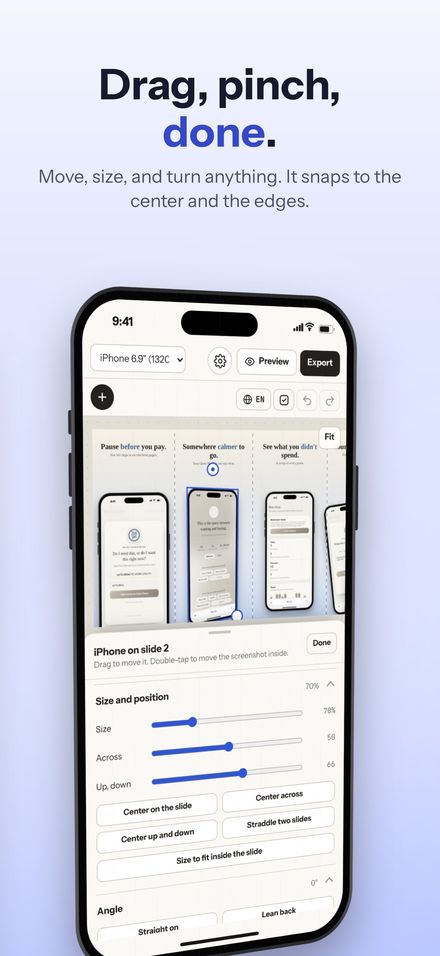
Everything on the canvas moves the same way: drag it, pull a corner to size it, pull the round handle to turn it. Pink lines appear when something lines up with the center of a slide or the edge between two, so a device can sit exactly across a pair. Pinch the canvas to zoom, and on a Mac, scroll and drag like any canvas app. Eleven layouts set things up in one tap, from a phone rising out of the bottom to one lying across two slides.
Reframe any screenshot Free
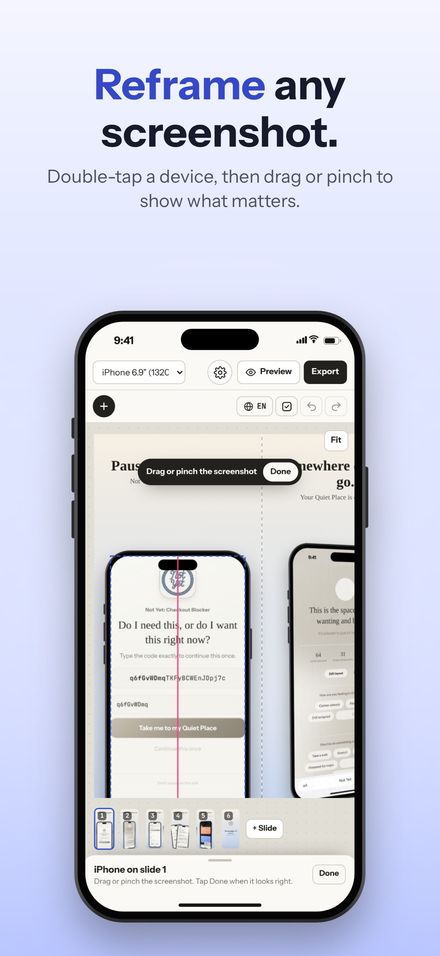
Double-tap a device and the screenshot inside it becomes the thing you're moving. Slide it to show the part that matters, zoom in on a detail, or choose Show all for a capture with an odd shape. It snaps to the center and to the screen's edges, and its zoom settles on 100%, so the sharpest view is easy to land on.
Words that read at a glance Free
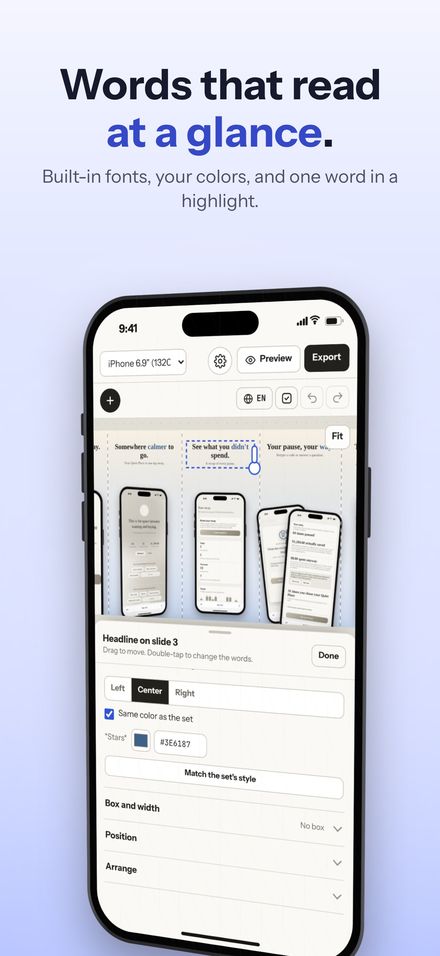
Every slide gets a headline and a detail line. Put *stars* around a word and it takes the accent color, which is how "sell" turns blue on the first slide. Choose from the fonts built into Apple devices, from SF Pro to New York to a handwritten one. A headline that runs past three lines shrinks until it fits, so a long translation never runs off the edge.
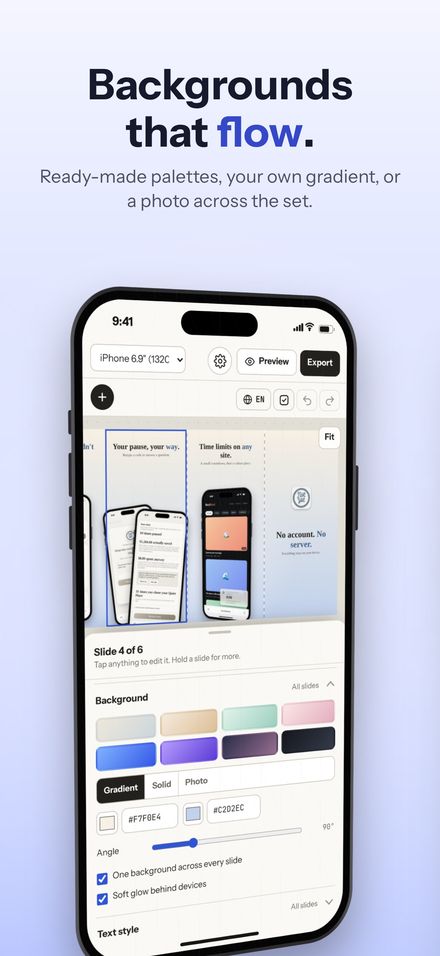
Backgrounds that flow Free
Sixteen palettes, your own two-color gradient or a solid color, soft noise or film grain, and one switch that runs a single background across the whole set. When people swipe through your screenshots, a background that flows from one to the next reads as one wide picture instead of nine separate cards. A photo background is part of Premium.
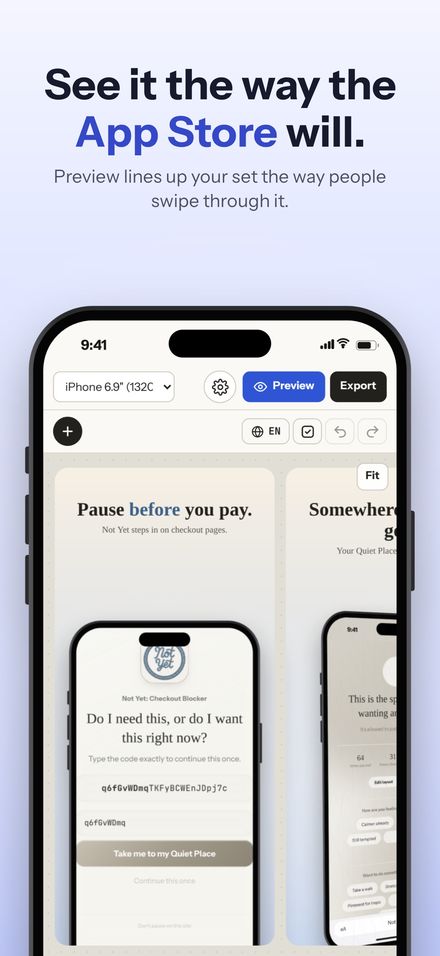
See it like the App Store does Free
Preview shows the set the way it appears on the store: separate slides with a gap between them, at the size people actually see. It's the fastest way to catch a headline that's too small, or a device that's crowding the next slide.
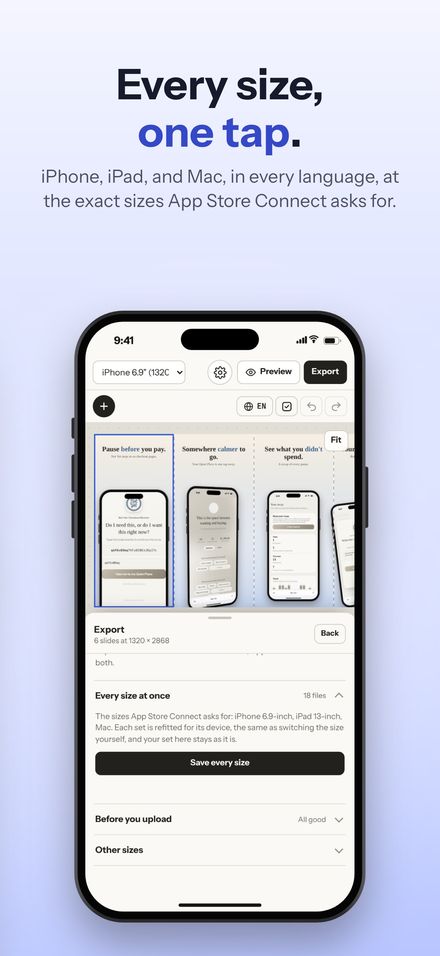
Every size, one tap Premium
App Store Connect wants a set for each kind of device your app runs on. Switch the size at the top and your words and screenshots come along, with every layout refitted for the new device. That part is free. With Premium, Save every size makes the iPhone, iPad, and Mac sets in one go, each refitted on its own, without touching the set you're working on. Before you save, Shotstand checks for text off the edge, a headline too long to read in search results, and screenshots that would look soft.
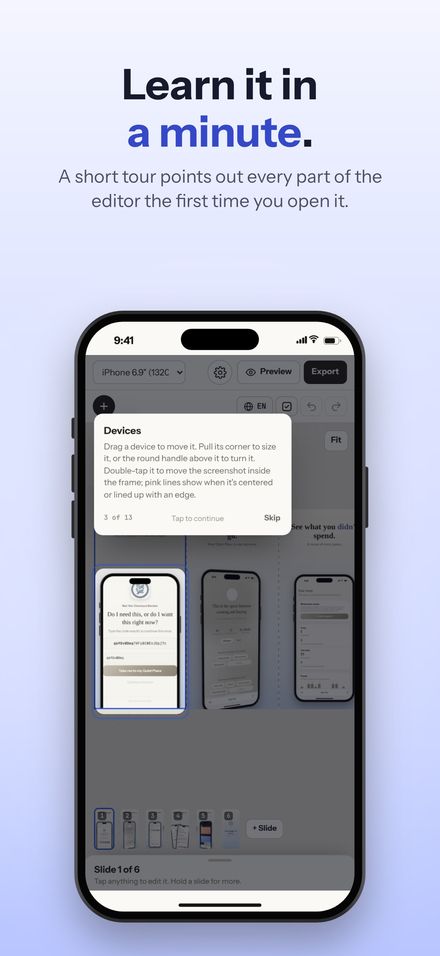
Learn it in a minute Free
A short tour points out each part of the editor the first time you open it, one tap per tip. Settings shows it again whenever you want it, along with snapping, appearance, and the file type you save.
Nothing uploaded Free
Screenshots of an app that isn't out yet are exactly the kind of thing you shouldn't have to upload to someone's server to frame. Shotstand has no account and makes no network requests. Your screenshots and projects stay on your device, and the finished images go only where you save or share them.
Want to try the engine behind all of this? The live demo on the Shotstand page runs the app's real drawing code in your browser.